Choose one subscription frequency for all products in your cart or place separate orders for different renewal periods.
Set one delivery frequency for all subscription products in your cart every:
Subscription products in your shopping cart
In your shopping cart there are products with different subscription order renewal period. If you want to order products with different subscription period place a separate order.
Postcard kiosk software turns an ordinary postcard rack into a self-service
machine that earns money on its own. The guest takes a photo on the spot or sends one from
their phone, picks a template, pays at the machine and collects a printed postcard moments later.
No staff, no cashier, no need for you to be there.
This version of the software is Token 13852 – the complete postcard kiosk
configuration: camera, printer, cash and card payments, printing a photo from a phone via QR code,
photo sharing, and adverts displayed while the print is being made.
For the software you only pay for prints – there is no subscription and no annual
fee. You buy an activation code for a set number of photos and use it with no time limit,
until the last postcard is printed.
What the software is used for
postcard kiosk
postcard vending machine
self-service photo kiosk
printing photos from a phone
From purchase to the first postcard
A machine that earns without staff
The guest pays at the device, the software starts the session and prints on its own.
The price includes an activation code for 700 prints.
Four steps to get started
1. Download the software package from the builder.fotillo.com configurator – with Token 13852 selected.
2. Unpack it and run the FotilloStart file – the software starts in DEMO mode.
3. Send us the hardware identification number from the first screen – we send back your activation code.
4. Enter the code in the software (F2 → “RECHARGE”) and the machine is live. You can top up more prints at any time.
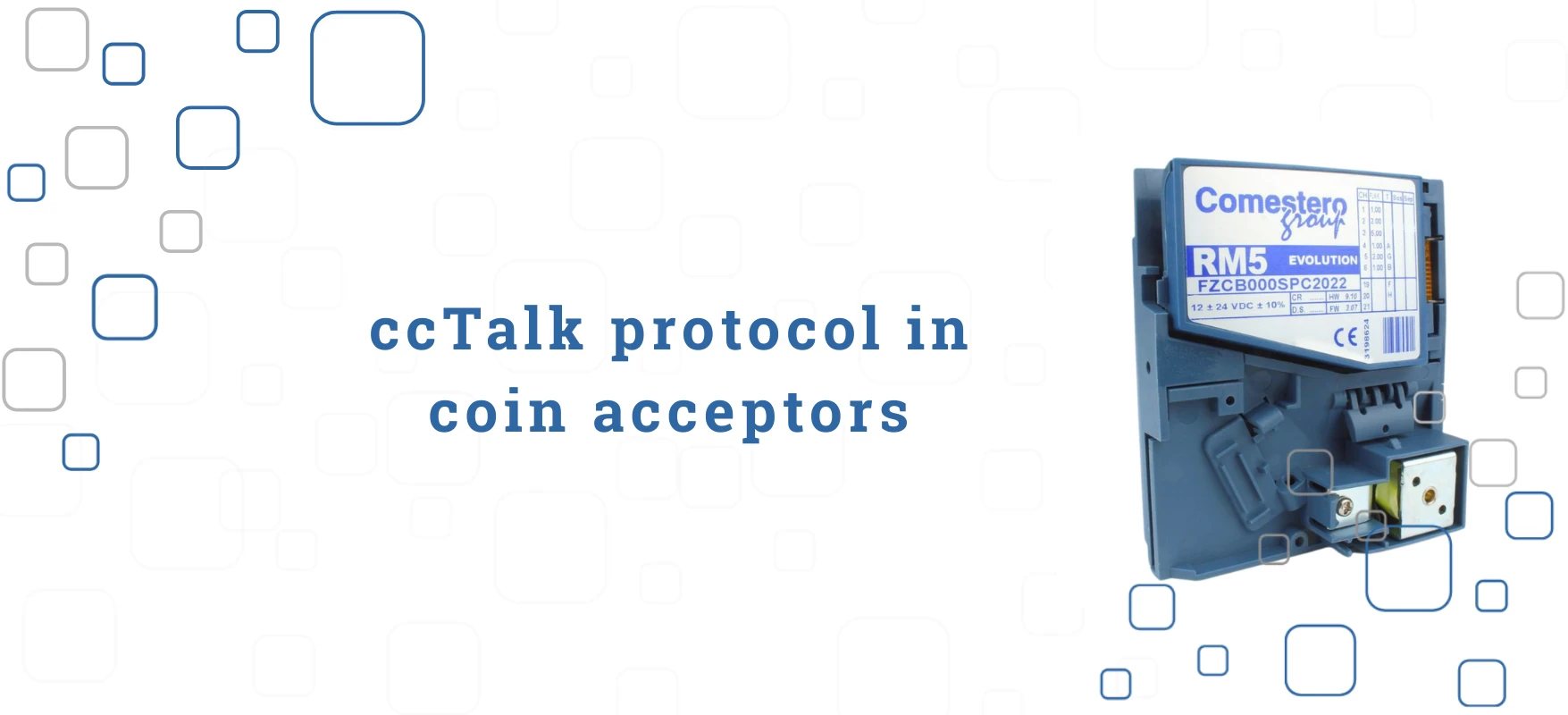
A coin and token acceptor (RM5, ccTalk protocol), a banknote reader and a payment terminal
with contactless card and BLIK. The customer pays and starts the session without any help.
A photo from a phone via QR code
The guest scans a QR code and sends their own photo straight from their phone to the printer.
There is no need to stand in front of a camera – the postcard can be made from a holiday shot
taken an hour earlier.
Unattended operation all day long
The FotilloStart file keeps the software running without interruption and keeps it on top.
Fotillo was built for vending devices – stability was the priority from the very first version.
What you gain by replacing a postcard rack with a kiosk
a postcard no rack can offer
Ready-made postcards have looked the same for years. Here the visitor is in the picture –
their own face, your venue, your template. That is a keepsake, not an item off a shelf.
sales without an employee
The machine takes coins, banknotes and cards, starts the session and prints on its own.
You need no cashier and nobody stationed at the kiosk – it keeps working while your staff
are busy elsewhere.
cost grows only when revenue grows
The licence is counted in prints, not in months. Out of season the machine generates no fees
at all, and your print counter does not expire after a year.
a screen that works between sessions
When nobody is using the kiosk, the device plays animations and adverts.
You can promote your own offer or sell that screen time to an advertiser.
Key features of the postcard kiosk software
3 postcard layout modes
The modes differ in the number of buttons and in how the templates are presented.
You pick the one that suits your screen and how fast the queue needs to move.
Unlimited number of templates
You can add as many postcard designs as you like – separate ones for summer and winter,
for an event, for the venue’s anniversary. The guest’s photo can be fitted into any shape,
a heart for example.
Live preview with a mirror effect
The guest sees themselves on screen as if in a mirror and frames the shot on their own.
Countdown times and the number of prints are configured to suit your venue.
Photo sharing by e-mail and QR
Besides the print, guests take the photo with them: they receive it by e-mail or download it
to their phone after scanning a QR code. The feature uses Fotillo Cloud and requires an operator account.
Printer and paper status (F2)
Two-way communication with Citizen and
DNP printers. One key shows the paper status
and the number of prints left. The same screen is where you top up the licence.
Interface in 13 languages
Visitors switch the language with a single tap on a flag icon. In a place visited by guests
from abroad, that is the difference between a sale and someone walking away at the first screen.
How to download the software (Token 13852)
You download the software yourself from the
builder.fotillo.com
configurator. There you assemble a package for your device – you choose the features, the theme
and the languages – and we prepare the file for download.
You always get the newest version.
The set of features is stored in a token. This offer covers
Token 13852. This matters: an activation code only works with a package
downloaded under the same token.
1. Choose your device – the “Postcard booth / PostCard Kiosk” tile
(Postcards from camera or phone + print + payment).
2. Customise the features – select exactly these seven:
Payment by cash and tokens
Card / BLIK payment
Camera / EOS camera
Printer (Citizen / DNP)
Photo sharing (e-mail / QR)
Print a photo from your phone (QR)
Animations / Adverts
Deselect the rest. The price bar must show
Token: 13852 – your activation code fits this
configuration only.
3. Choose the look (theme) – the set of graphics and collages your postcards will be built on.
4. Languages in the package – pick the default language and any additional ones (13 available).
5. Summary and download – tick the required consents and enter your e-mail.
You will receive a link to the ZIP package, valid for 24 hours.
Unpack the package and run the FotilloStart file. The software starts in DEMO mode
and your hardware identification number is shown on the first screen.
If the software is already running, you will find the same number after pressing
F2 and then the “RECHARGE” button. Send us that number –
we issue the activation code based on it.
Full user manual – online
Configuration, templates, operating modes, payment settings, printer handling and licence
activation – step by step, with screenshots. The manual is updated together with the software.
Once the counter runs out, you buy another activation code on the
Activation code for Fotillo with Token 13852
page. You enter your hardware identification number, choose a package and type the code you receive
into the software (F2 → “RECHARGE”). The machine keeps working –
nothing needs to be reinstalled.
700 prints
basic package
1400 prints
with a discount per print
2800 prints
the largest discount
Fotillo is software for postcard kiosks and photo kiosks
developed in Poland for over 10 years, designed for devices that work unattended –
in self-service and vending mode. A simple interface for the guest and easy management for the
operator are the two ideas the whole program is built around. If you are planning to run a
postcard vending machine at a tourist site, a museum, a zoo or a shopping centre,
this is a solution proven in the field.
Paying per print instead of a subscription means the cost of the software only grows when your
revenue grows. The software works with Citizen CY-02 and
DNP DS-RX1HS dye-sublimation printers over a two-way connection, so you always
know how much paper and how many licensed prints are left in the device.
Support is provided by ViewPro – the company that develops the software.
Payment by cash and tokens, card / BLIK payment, camera / EOS camera,
printer (Citizen / DNP), photo sharing (e-mail / QR),
printing a photo from a phone (QR), animations / adverts
Prints included
700 (further packages: 700 / 1400 / 2800 with a discount)
Licence model
Pay per print, no subscription and no time limit
Workstation
The code is tied to the hardware identification number (1 computer)
Supported printers
Citizen (CY and CY-02 series), DNP (DS-RX1 and DS-RX1HS series)
Payment hardware
RM5 coin and token acceptor (ccTalk), banknote reader (ccTalk),
payment terminal: contactless card and BLIK
Languages
13 languages, switched inside the software with flag icons
Delivery
Electronic – you download the software from builder.fotillo.com and receive the activation code by e-mail
Operating system
Windows 11
Where a postcard kiosk earns best
Tourist towns and attractions
Seaside promenades, viewpoints, spa resorts. A tourist wants a keepsake with their own face
rather than another postcard off a rack – and is ready to pay for it there and then.
Museums, zoos, water parks, theme parks
Ticketed venues already have footfall at the exit. A kiosk with the venue’s own template turns
that footfall into extra revenue without adding staff.
Shopping centres, trade fairs and events
You can place the kiosk for a few days or permanently. Between sessions the screen shows adverts,
so the device earns even when nobody is printing.
Frequently asked questions about the postcard kiosk software
Where do I download the software and which token do I choose?
You download it from the builder.fotillo.com configurator. Choose the Postcard booth / PostCard Kiosk
tile, select the seven features of this offer and check that the price bar shows Token: 13852.
Then pick a theme and languages, enter your e-mail and receive a link to the package valid for
24 hours. You always get the newest version of the software.
How many prints are included and what happens next?
The price includes an activation code for 700 prints. Once the counter runs out, you buy another
package on fotillo.com – 700, 1400 or 2800 prints, with larger packages carrying a discount.
You type the top-up code into the software and the machine keeps working.
How does the customer pay at the machine?
Token 13852 supports both routes: cash and tokens through an RM5 coin acceptor and a banknote
reader using the ccTalk protocol, and cashless payment through a terminal – contactless card
or BLIK. Once the payment is registered, the software starts the session on its own.
Can a guest print their own photo from a phone?
Yes. The guest scans a QR code shown on the screen and sends a photo from their phone straight
to the printer. It also works the other way round – a photo taken at the kiosk can be sent by
e-mail or downloaded to a phone through a QR code. Both features use Fotillo Cloud and require
an operator account.
How many postcard templates can I add?
As many as you like – the number of designs is not limited. You edit the templates yourself,
adding your own graphics, text and layouts. The guest photo can be fitted into any shape,
a heart for example. The manual shows how to do it step by step, without any programming knowledge.
How long is the licence valid?
Until you use up all the prints. There are no time limits and no subscription – out of season
the machine generates no fees at all, and your print counter does not expire after a year.
What if I change the computer inside the machine?
The licence is tied to the hardware identification number. Moving the software to a new computer
requires contacting us – we will tell you what to do so that the remaining prints are available
on the new machine.
Planning to launch a postcard kiosk?
ViewPro develops the Fotillo software and supplies dye-sublimation printers.
We will help you pick the right feature set (token), check compatibility with your camera, printer
and coin acceptor, and put together the complete station – from the computer to the payment terminal.
Oprogramowanie Fotillo to wielofunkcyjne rozwiązanie do fotobudek, które wyróżnia się prostotą obsługi, wielojęzycznością oraz możliwością personalizacji układów i filtrów zdjęć. Umożliwia udostępnianie zdjęć w mediach społecznościowych i wysyłanie ich e-mailem, oferując wydruki w matowym lub błyszczącym wykończeniu. Jest to system idealny do zarządzania fotobudkami bez potrzeby osobistego nadzoru, umożliwiający właścicielom generowanie przychodów w sposób zautomatyzowany. Płatności za program zależne są od liczby sprzedanych wydruków, co czyni go bardzo ekonomicznym.
Program pozwala na znaczne dostosowanie, w tym modyfikację kształtu i filtrów zdjęć, personalizację tekstem, a także podgląd na żywo z odbiciem lustrzanym i tryb portretowy. Co więcej, oferuje dwie opcje wydruku zdjęć oraz możliwość weryfikacji komunikacji z drukarką, wspierając m.in. modele Citizen CY i DNP RX1.
Są też dostępne funkcje takie jak płatność kartą i możliwość drukowania zdjęć z telefonu, które z pewnością uatrakcyjnią ofertę dla klientów korzystających z fotobudek, pocztówkomatów czy fotokiosków.
Do you need help? Do you have any questions?Ask a question and we'll respond promptly, publishing the most interesting questions and answers for others.
A coin acceptor is a device used for accepting payments for goods or services. It is commonly used in gaming equipment, vending machines, and automatic cash registers. ccTalk protocols are among the most popular protocols used in coin acceptors. In this article, we will discuss what ccTalk protocols are, how they work, and what advantages they offer. What is the ccTalk protocol? ccTalk protocols are communication protocols used in coin acceptors. They are used to transmit information between the coin acceptor and...